
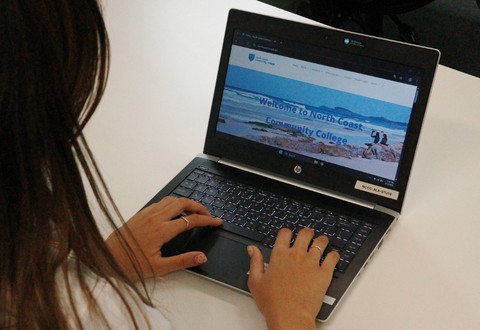
Introduction to Computers

Course Overview

Introduction to Computers is a beginner-friendly course designed to help you feel comfortable and confident using a computer. Delivered at our Alstonville Campus, it’s an ideal starting point if you’re new to technology or want to refresh your essential skills before moving on to more advanced courses.

This hands-on course focuses on everyday computer tasks and is a recommended first step before taking our Digital Navigation Skills course.

Throughout the course, you will build skills in

  • Starting and shutting down the computer
  • Understanding system features and settings
  • Navigating the desktop
  • Organising files using folders

Course Details

Duration

1 Day

Time

9:30am – 3:30pm

Location

Alstonville

Fee

$0 (if eligible & funding is available)

Training Mode

Face-to-face

Why do this course?

In today’s world, basic computer skills are essential for success in nearly every area of life. Whether you’re looking to get back into the workforce, returning to study, or simply want to feel more capable when using a computer, this course provides the foundational skills you need. It offers a supportive, hands-on learning environment where you can build confidence and gain practical experience at your own pace.

The course is delivered by our experienced and approachable trainers, who provide personalised, one-on-one support throughout the day. They will tailor the course content to your current skill level, ensuring that you make the most out of your learning experience and leave with the confidence to tackle everyday computer tasks.

Funded Training

This training is funded by the NSW Government subject to funding eligibility and availability. Please click the button below to see if you’re eligible.

Enrol for 2026 courses

Name Date Time Location Available Spaces Cost
Introduction to Computers 4 December 2026 09:00 am – 03:00 pm ALSTONVILLE CAMPUS 10 $0.00 or $0 if eligible*
Introduction to Computers 23 April 2027 09:30 am – 03:30 pm ALSTONVILLE CAMPUS 10 $0.00 or $0 if eligible*

Course FAQs

Do I need any computer experience?

No. This course is designed for complete beginners or anyone wanting to refresh their basic computer skills. You’ll be supported step by step and can learn at a pace that works for you.

Do I need to bring my own laptop?

If you have your own laptop, we recommend bringing it so you can practise on the device you use at home.

Please note: Apple computers are not supported in this training.

If you don’t have a laptop, that’s no problem. Just let us know and you can borrow one of ours during the course.

Is this course suitable if I feel nervous using computers?

Yes. This course is designed to be relaxed, practical and supportive. There is plenty of time to practise, ask questions and build your confidence.

Is this a good course to do before Digital Navigation Skills?

Yes. Introduction to Computers is a recommended first step if you are new to computers. It gives you the basic skills and confidence to move into our Digital Navigation Skills course.

What should I bring?

Bring your laptop and charger if you have one. If not, just let us know before the course and we can organise a laptop for you to use.

Got questions?

Use the form to ask a question about this course, including upcoming dates, eligibility, fees, funding options, enrolment steps or anything else you’d like to know before applying.

For general enquiries not related to this course, please contact us.

Phone
(02) 6628 5426
Email
enquire@northcoastcc.edu.au